
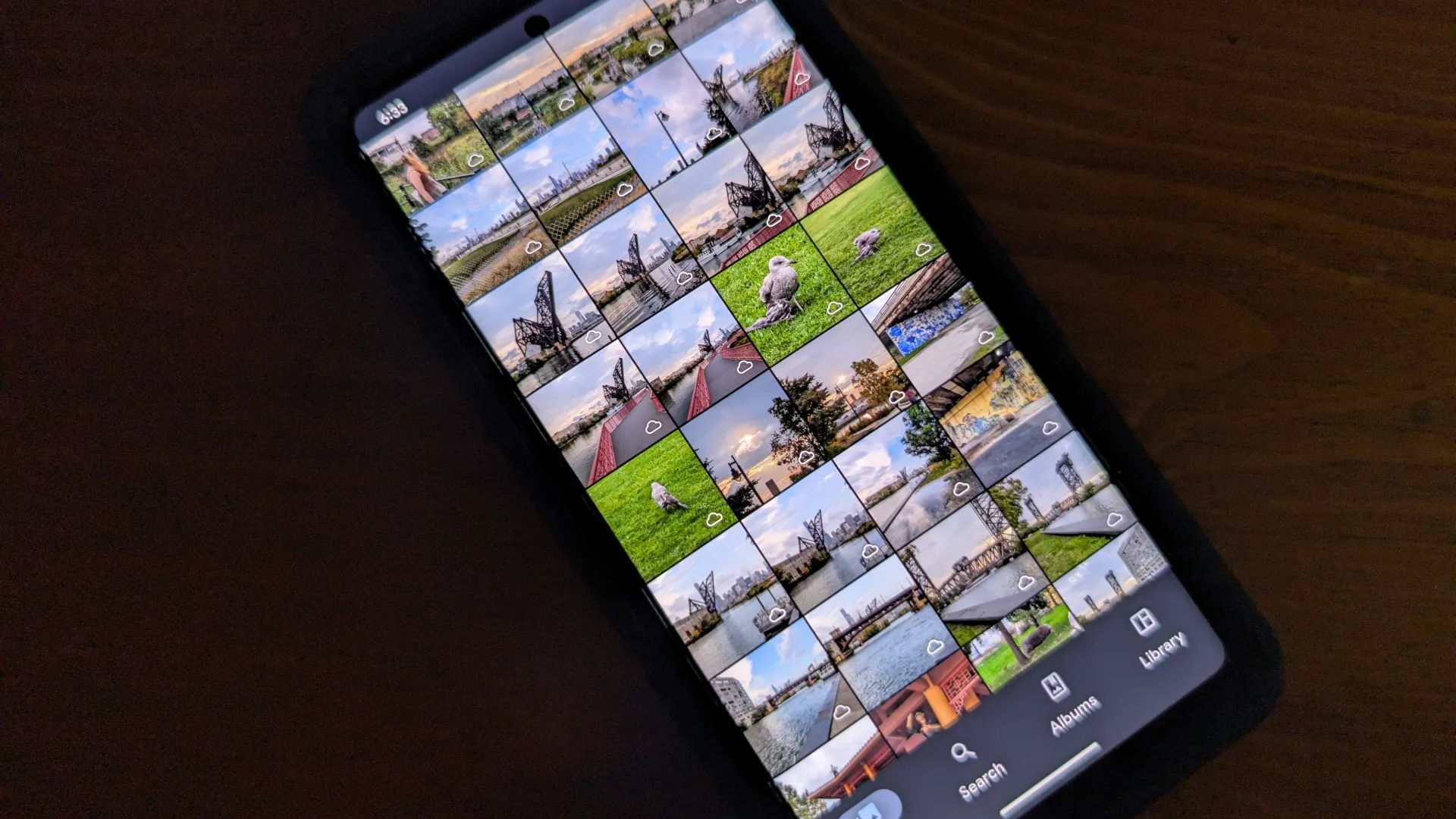
Immich Showcase: The Best Self-Hosted Memory Gallery

What is Immich?
Immich is arguably the best self-hostable photo and video management solution accessible to technology enthusiasts and many everyday consumers alike. As the project maintainers describe it:
Easily back up, organize, and manage your photos on your own server. Immich helps you browse, search and organize your photos and videos with ease, without sacrificing your privacy.
Surpassing 113,000 GitHub stars as of August 2026, the project has drawn significant attention for being a free and open-source platform matching the user-friendly interface, quality, and core features of Big Tech offerings like Google Photos without subscription fees or data mining.
Alex Tran started Immich in February 2022 as a personal project for his family. Since May 2024, the project joined the FUTO organization, enabling the core team to work on Immich full-time.
How Big Tech Options Hurt You
Your Uploads are Scanned with AI and Sent to Law Enforcement
During the COVID-19 pandemic lockdown, almost everyone was adjusting to staying indoors all day and moving social interactions to technology platforms. As reported by the New York Times, a father noticed unusual swelling in his toddler’s groin area, and due to the lockdown, the pediatrician’s office requested that he take photos of the area to submit before a telehealth appointment. The photos taken on the phone were automatically backed up to Google Photos, and Google’s automated artificial intelligence, programmed to scan for Child Sexual Abuse Material (CSAM), instantly flagged the medical images.
Google’s system reported the photos to the National Center for Missing & Exploited Children (NCMEC), which forwarded the case to the San Francisco Police Department. Detectives launched a 10-month investigation. Law enforcement ultimately cleared the father of any criminal wrongdoing, recognizing that the photos were entirely innocent and purely for medical diagnostic purposes. Nevertheless, his Google account was permanently locked, effectively deleting all Google service data, including photos, contacts, and emails. While stopping CSAM is important, innocent people, such as a parent following the directions of a doctor’s office, can find their lives upended and their digital memories permanently wiped.
Your Uploads are Probably Used as AI Training Data
Google states it does not use the personal data or images stored in your Google Photos library to train external or general-purpose AI models, such as Gemini products outside of Photos. However, terms of service and privacy policies can change on a whim, and with closed-source cloud providers, you have no real way to verify what happens to your data behind closed doors.
No More “Unlimited” Free Storage
Before June 2021, Google Photos offered completely free unlimited storage for high-quality photos. The deal enticed millions to switch to Google’s service, effectively locking them into Google’s ecosystem. Since June 2021, users have had to budget their 15 gigabytes of free storage or pay for a Google One subscription for additional uploads that started to count toward their budget.
Martin’s Favorite Immich Features
Instead of an exhaustive list of features, I will briefly explain how I use Immich. There are other useful features that you can learn about by visiting the official Immich documentation.
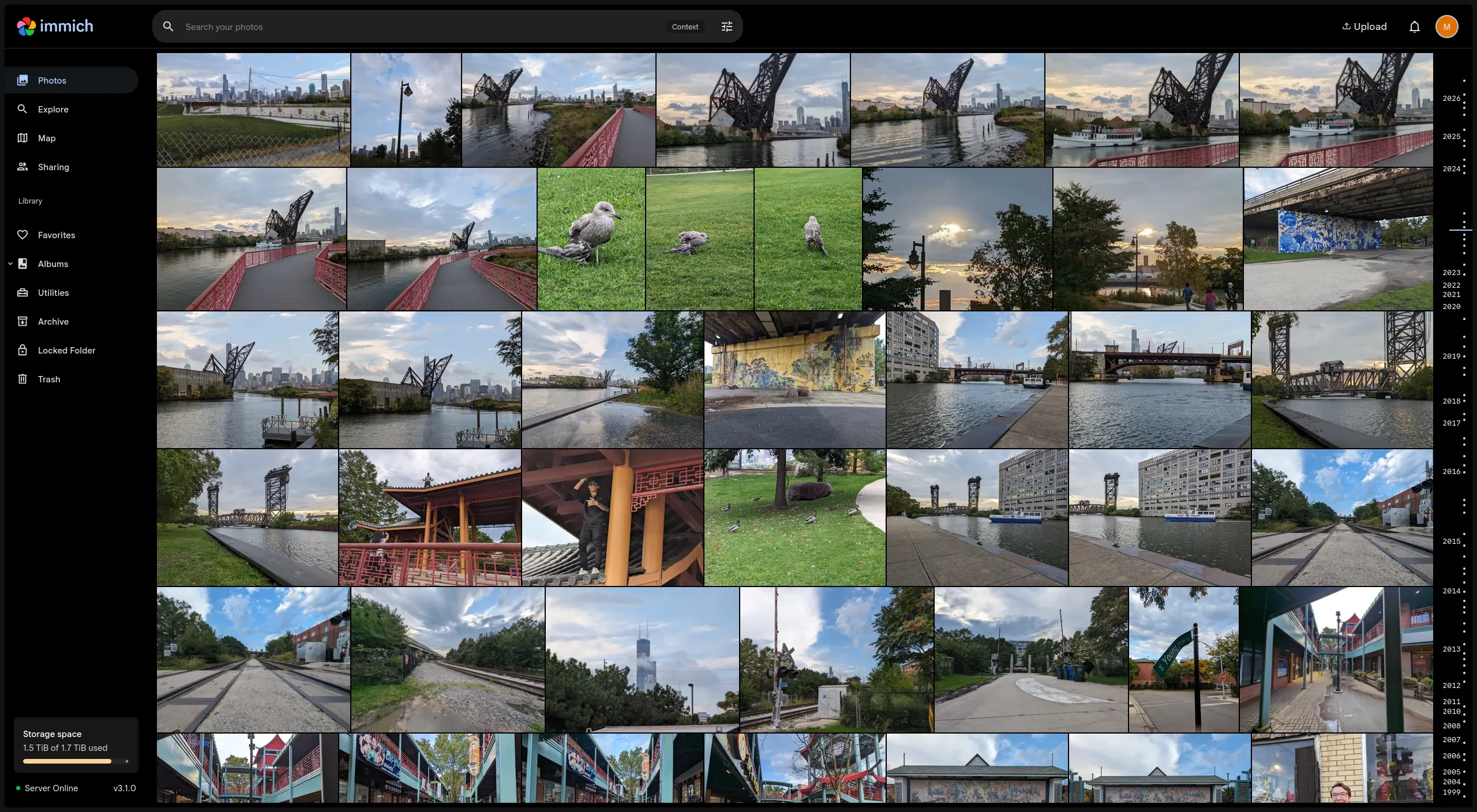
Simple Timeline
It is genuinely fun to scroll through your life. Here are some photos I took with classmates while we explored Chicago’s Chinatown together. Note: The random guy on the roof was not a part of our group.
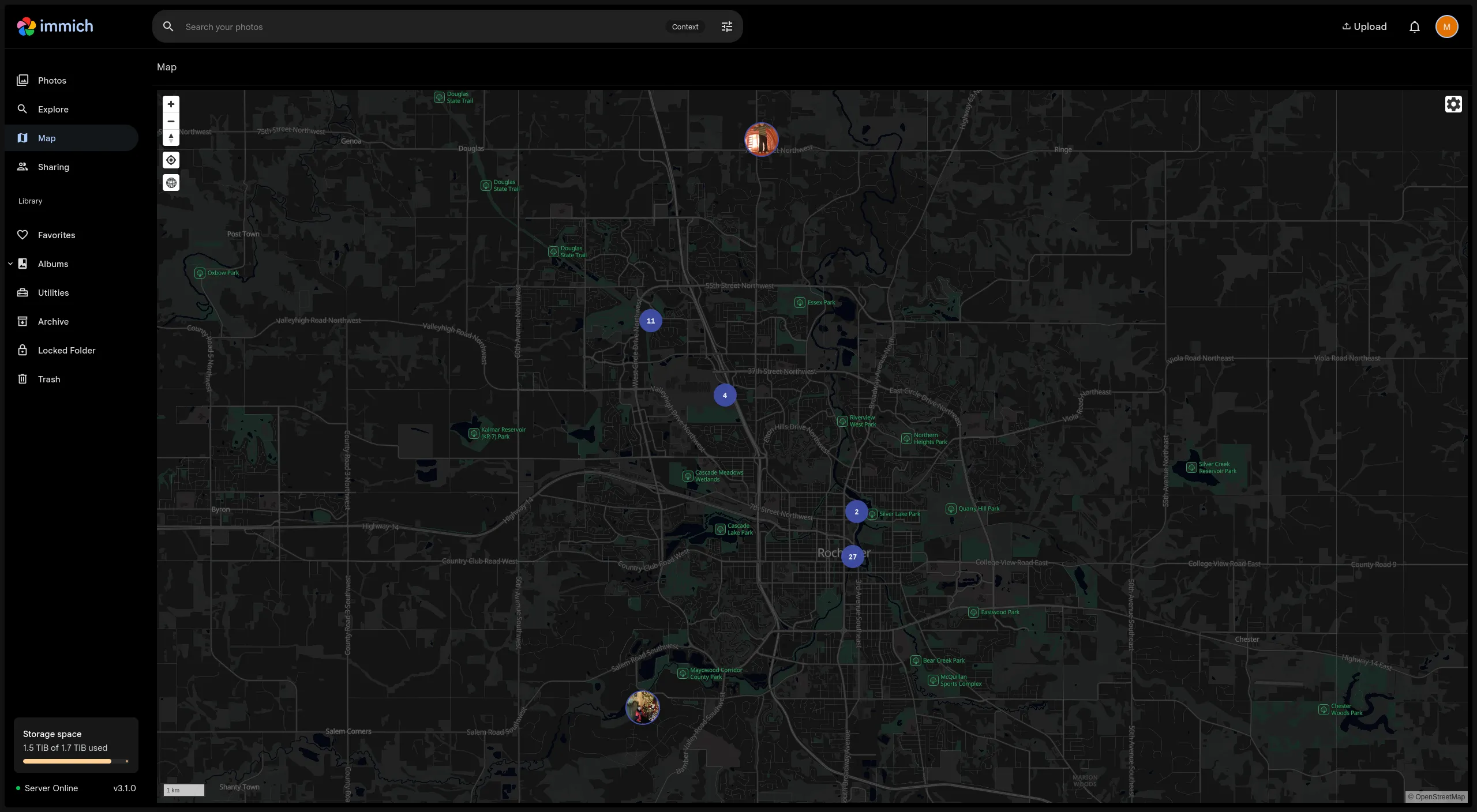
Maps
View where your photos and videos were taken using the maps feature, assuming the media is geotagged. Moving the map to Rochester, Minnesota reminds me of the fun events my parents took me to while they went to the globally regarded Mayo Clinic hospital.
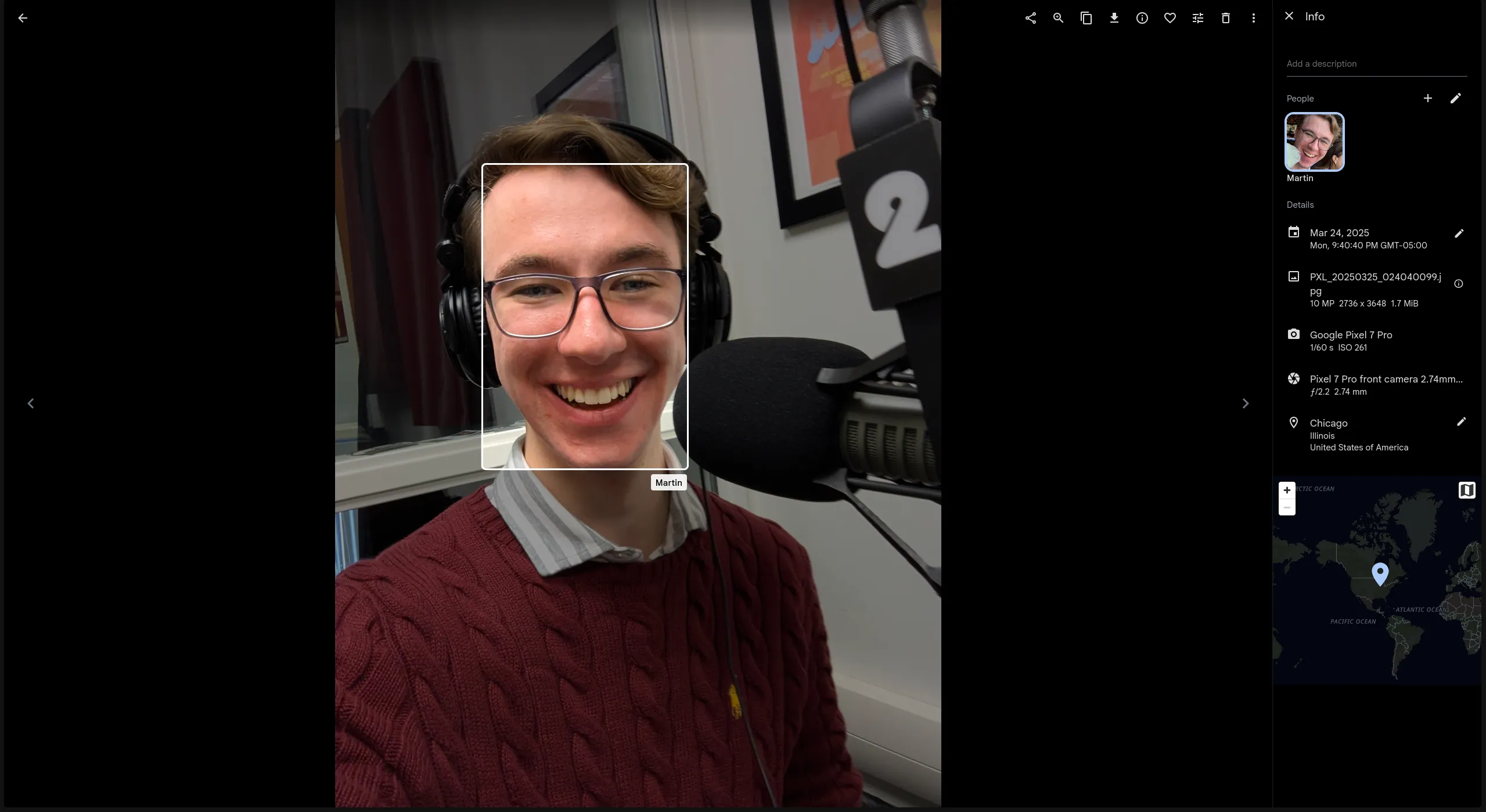
Facial Tagging
While you can manually tag faces, I never have because the automatic tagging works well. Here’s me in a radio/podcast studio being interviewed at my university.
Versatile Search
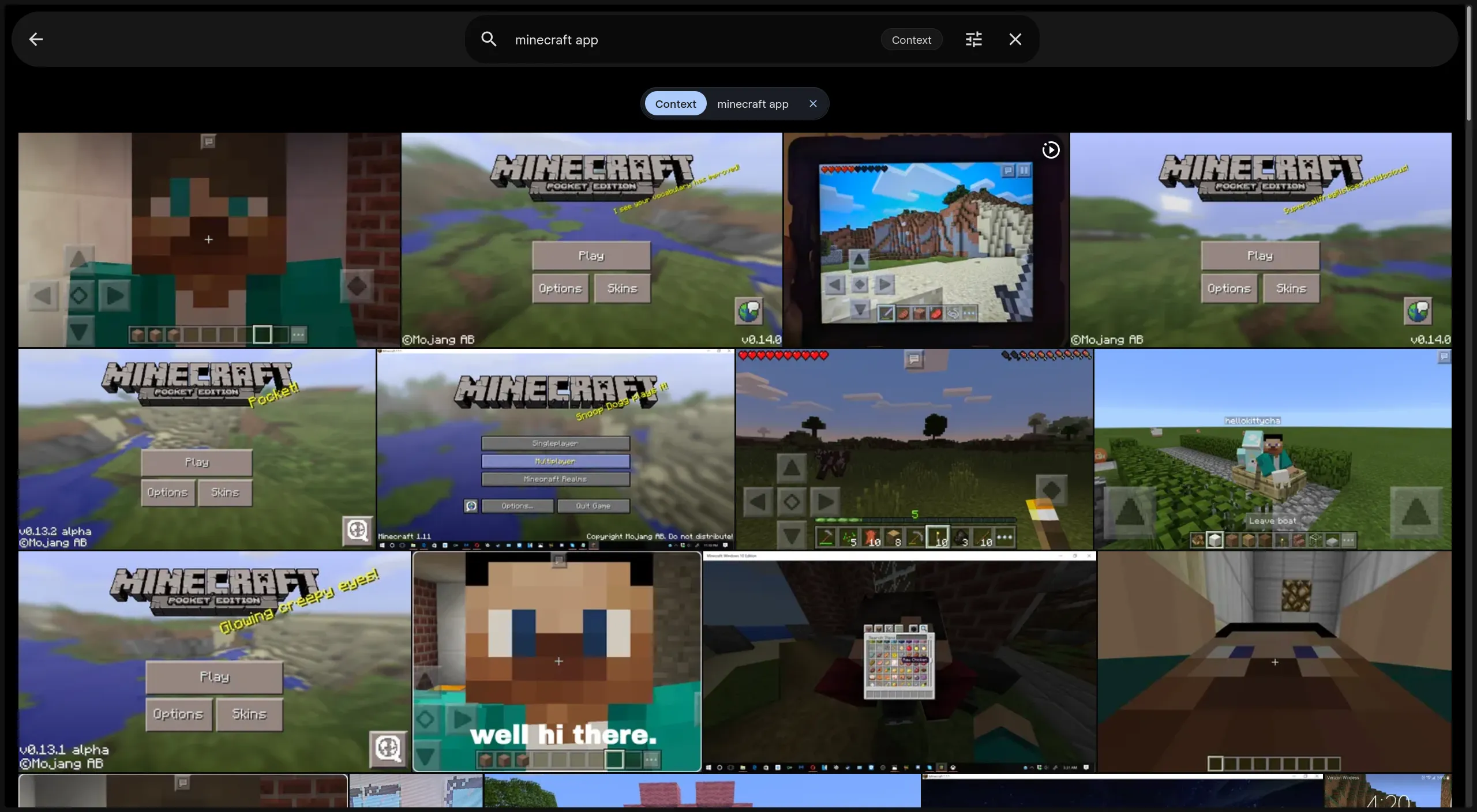
Immich runs lightweight local machine-learning models, including CLIP for semantic search and Optical Character Recognition for text detection, for its smart features. This enables the search feature to work well with natural language prompts. In the following example, I queried about Minecraft and it ranked the relatedness of all the photos and videos in my media library.
Automatic Mobile Backup
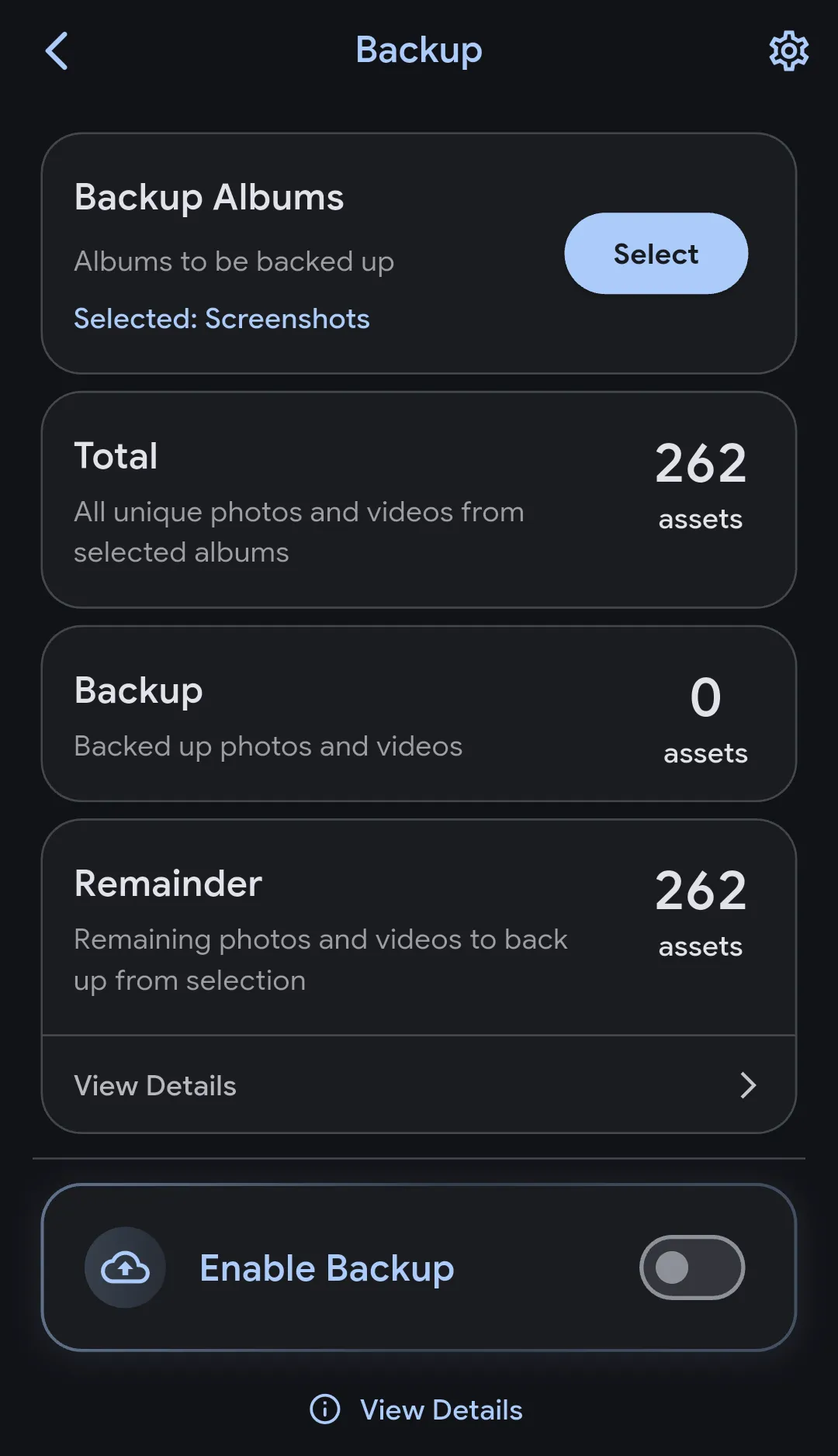
The ability for your phone to automatically sync/backup the photos, videos, screenshots, and other media to your Immich server is a genuinely useful time-saver. I would have loved this feature a few years ago, but I have become picky, so I manually use the Android share system to upload only what I deem worthy.
Note: Battery-saving features on iOS and Android can pause background uploads.
Easy Import
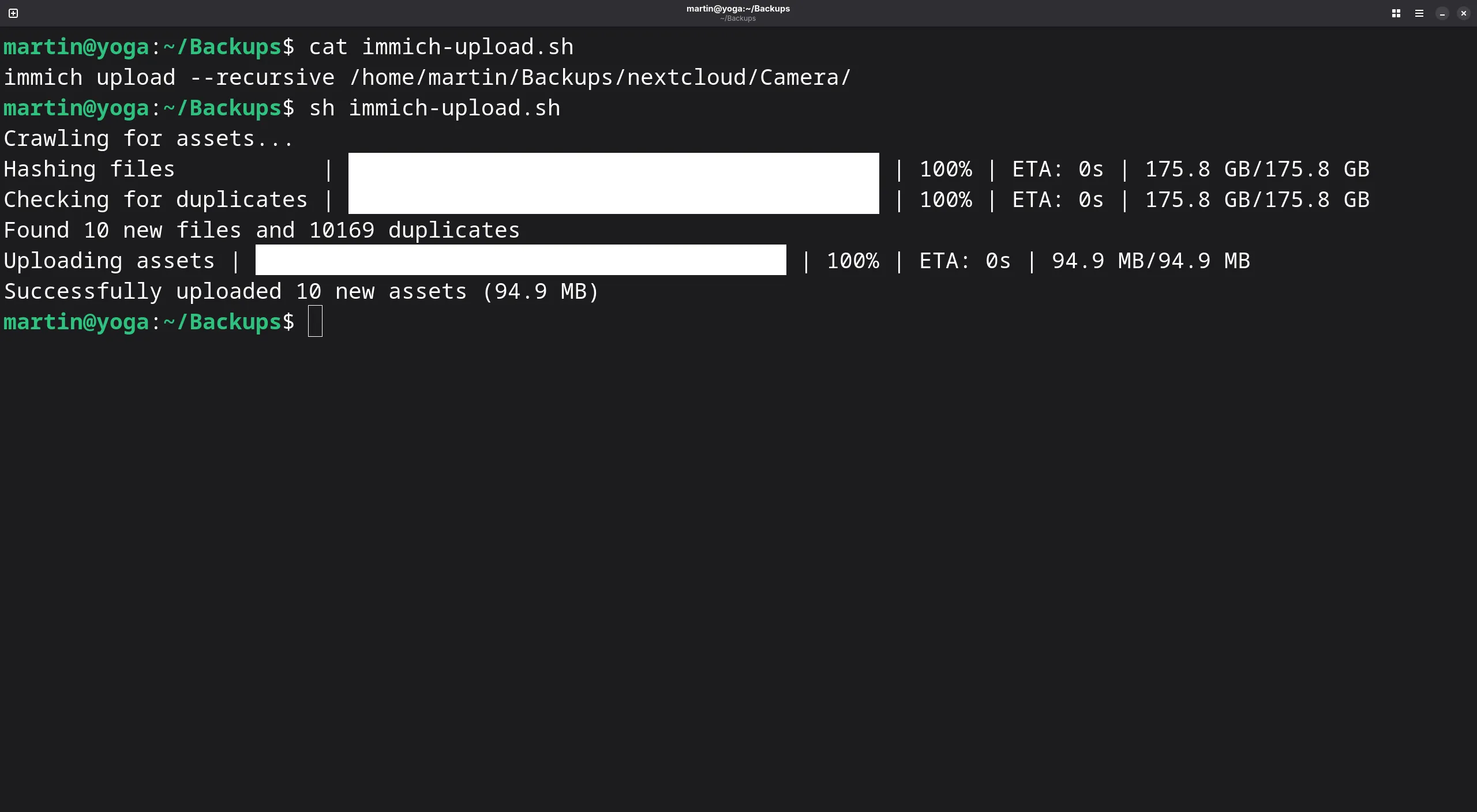
You can upload one or more files at once through the web interface, mobile app, and command-line tool.
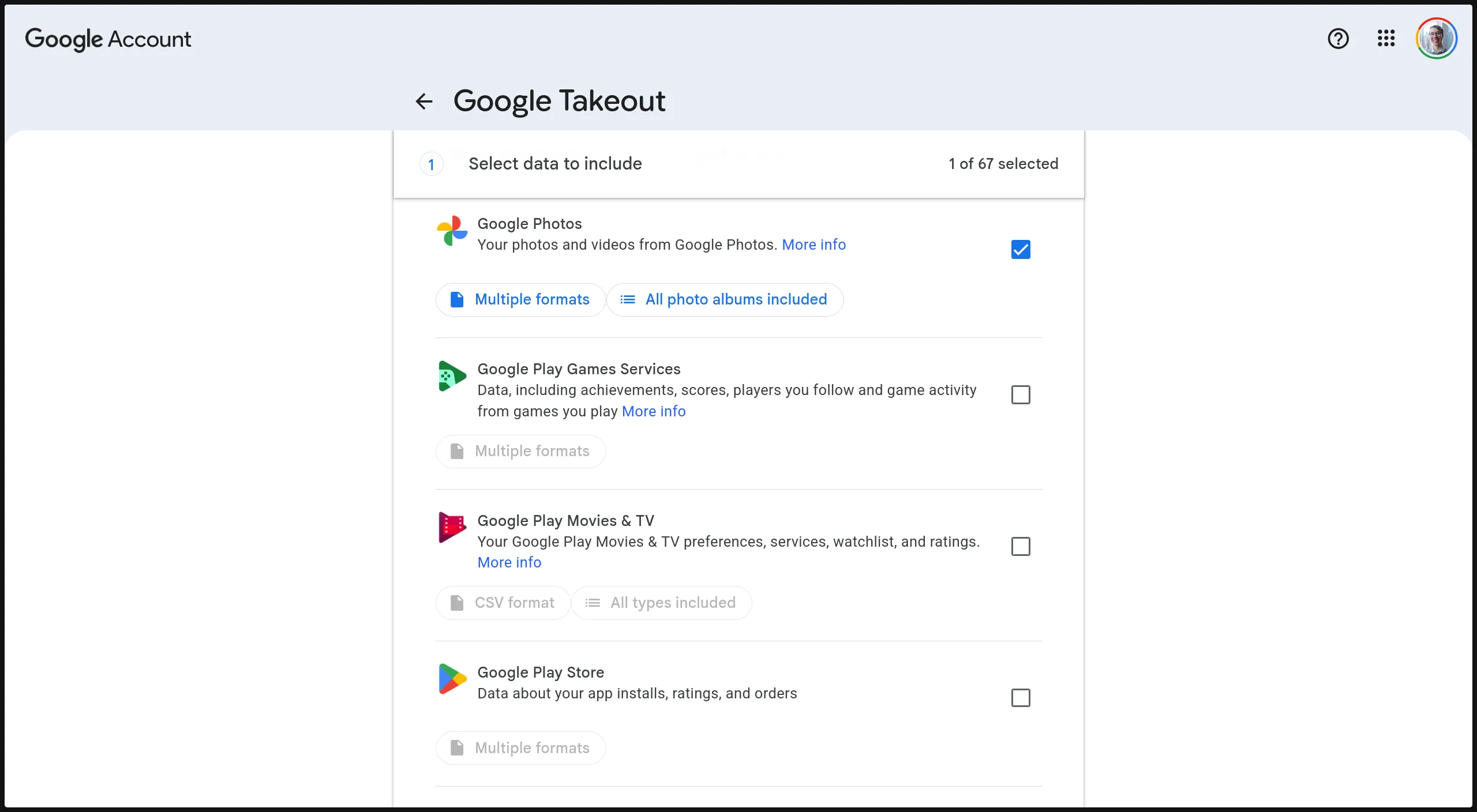
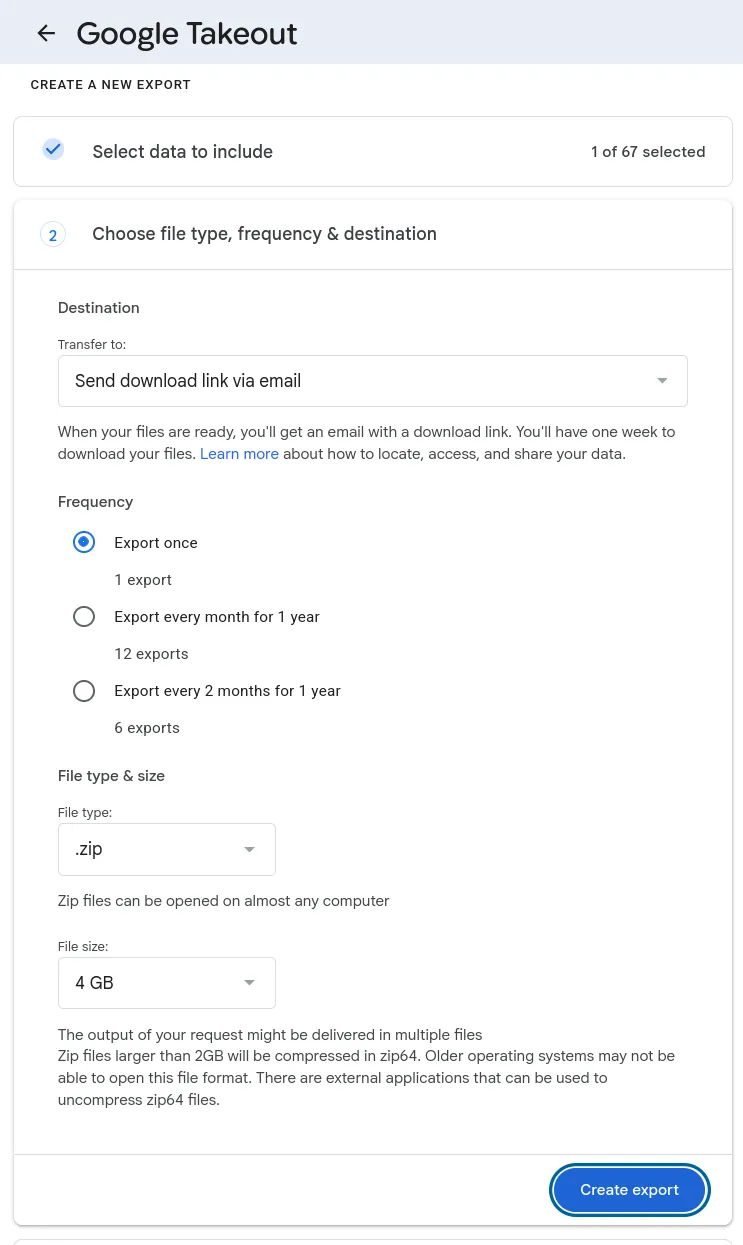
Prior to Immich, I saved my memories to my self-hosted Nextcloud instance (a file storage platform). Prior to Nextcloud, all my media was on Google Photos. I used Google’s Takeout website to export my data. After creating a takeout request, if the email option is selected, Google sends you an email with temporary download links of all your media. Google Takeout notoriously separates your photo metadata into messy .json files. The Immich CLI automatically pairs this metadata back to your original photos during import, saving hours of manual fixing. If you have media in Google Photos or another provider, simply follow the same steps so the content is downloaded to your local device for upload to Immich.
The Immich CLI tool has an option for handling Google Takeout files. In my case, there is just one directory of files to upload. Uploads are automatically deduplicated via checksum hashing, preventing accidental duplicate uploads.
Honorable Mentions
Here are a few features I do not use but know others highly appreciate:
- Public Links: Select one or more individual files, click the share icon, and generate a link to send to anyone. The link can enforce a password and expire at a set date.
- Shared Albums: Group files into an album and share that album with other users on the same Immich server or via a web link.
- Partner Sharing: Share your entire library automatically with another user on the same Immich server.
- Memories: A display of what happened on this day from years past at the top of the timeline.
- External Libraries: If you already have the media files on your server, you do not need to reupload them. Attaching the existing system directory is particularly useful for existing NAS (Synology, TrueNAS, Unraid) setups.
The Caveats
Handling Your Data with Care
You are responsible for your data when you self-host any service. With data as precious as your photo and video memories, it is worth employing a tried and true backup strategy used by individuals and large companies, the 3-2-1 Backup Rule.
The rule advises that people keep three copies of their data on two different media types with one copy off-site.
- Three copies: One is the “original” data, which in this case is the file system directory where Immich stores your uploads. The second and third are copies of that directory.
- Two different media types: A media type includes local storage, cloud storage, and so forth.
- One copy off-site: One copy should exist in a remote location, away from the others. The distance helps protect against natural and physical disasters, such as a fire.
How I Follow the Rule
I host Immich on the same dedicated Linux server that runs this website.
This server, hosted in Canada, is where the production copy of my memories exist.
I back up the Immich directory to my laptop and an external SSD (located in the United States) using rsync.
The directory contains all the important data associated with Immich that can be used to restore the software state.
Files included are the original uploads, sidecar files (Immich never modifies original files directly), and its PostgreSQL database snapshot archives (storing users, tagged faces, and other back-end information).
Example Rsync Script
rsync -avzP --delete -e "ssh -c aes128-gcm@openssh.com" user@libregalaxy.org:/home/user/immich/library/backups /home/martin/Backups/immichNote: Please be very careful with the --delete flag; ensure you don’t accidentally reverse the source and destination paths! Feel free to remove the delete flag from your command or script until you are sure you have it right.
Updating with Care
While Immich is stable software, it is worth checking the release notes before updating to a new version.
How Immich is Funded
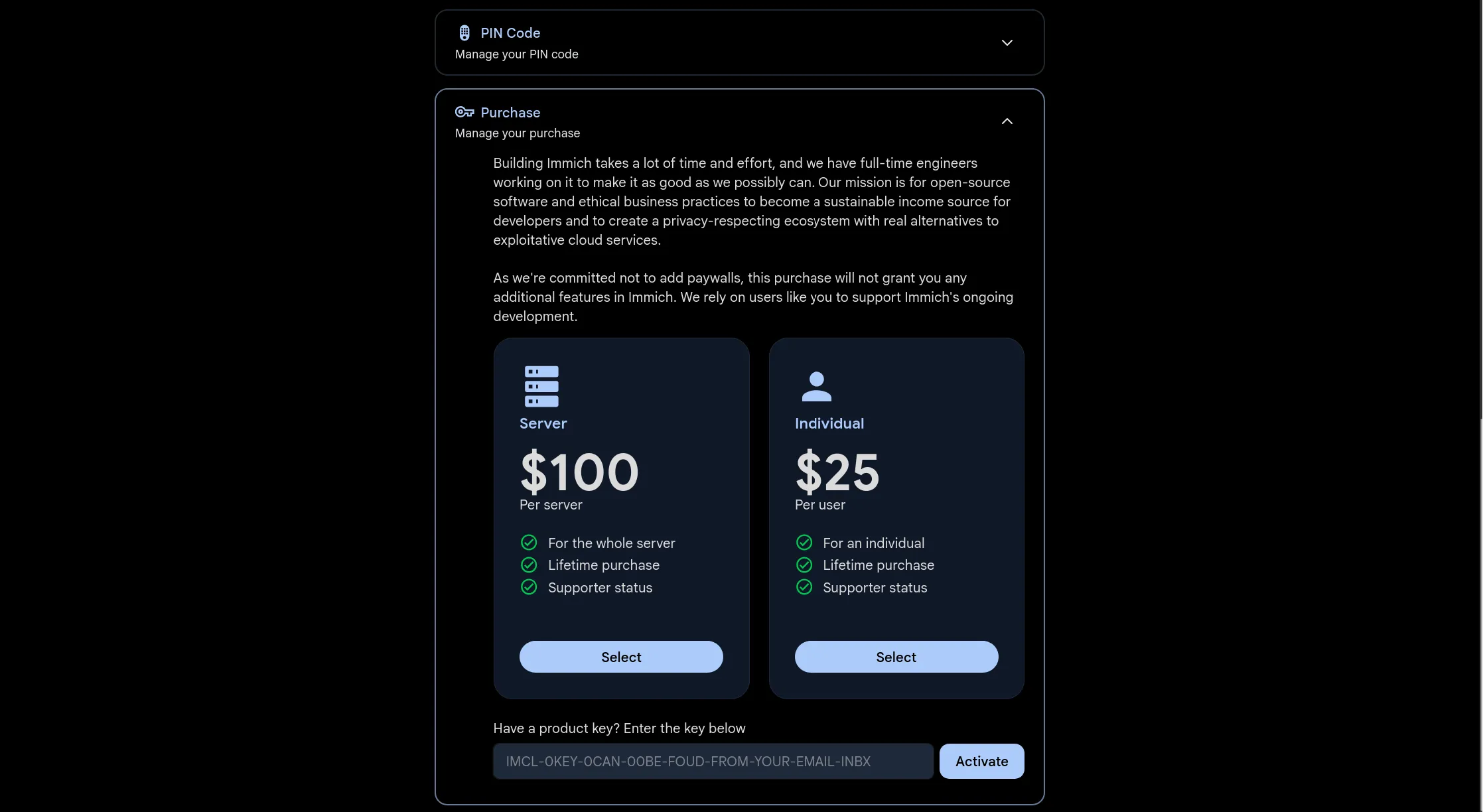
Immich has a truly unique funding model: users can optionally pay for a product key that does not unlock any additional functionality. Their website explains:
Our mission is for open-source software and ethical business practices to become a sustainable income source for developers and to create a privacy-respecting ecosystem with real alternatives to exploitative cloud services.
As we’re committed not to add paywalls, this purchase will not grant you any additional features in Immich. We rely on users like you to support Immich’s ongoing development.
In essence, Immich relies on the moral obligation of users to financially support the project when they are able through a single lifetime “purchase” that acts more like a donation.
Product keys can be added through the “Purchase” section of “Account Settings.”
Hardware Requirements
Do not expect to run Immich with its AI features on weak hardware like a 1 GB VPS instance or low-spec single-board computer.
The official documentation suggests a minimum of 6 gigabytes of RAM, 2 CPU cores, and for the operating environment to be Docker on Linux. More resources are recommended.
Do not forget that your server needs enough storage for your database, AI model files, original media files, and extra files like thumbnails and transcoded videos.
For context, my server has an Intel Xeon E3-1230 v6 CPU from 2017, 32 gigabytes of RAM, and about 1.7 terabytes of storage.
The Next Step: Try it Yourself
Looking for a live demo? Ready to install Immich on your server? Check out the cards below for those links and more.Before You Self-Host
If you are completely new to self-hosting, please set up the fundamentals first to get your grounding. I find it most beneficial to start with a reverse proxy service that will help securely expose your other services to the internet when properly configured. Nginx Proxy Manager is great for beginners, while Traefik is great for more advanced users. If you are worried about exposing services to the public internet, try a private overlay network like Tailscale or WireGuard that establishes an encrypted tunnel between your devices and the server. Your device must be connected to the tunnel to access any part of the Immich server in that case.